This guide covers all controls in Grand Theft Auto 6 and what each control does.
Nov 28, 2026
Grand Theft Auto 6 on PS5 and Xbox uses a large control set that covers map navigation, character switching, weapons, vehicles, aircraft, parachutes and Vice City interactions. The control list includes standard inputs and actions that are not explicitly shown in the pause menu, from switching between Jason and Lucia to sliding across a car hood, flipping an overturned vehicle and igniting a gasoline trail with a lit cigarette. The overview separates PS5 and Xbox inputs; where only one console input is provided, this article keeps that single input and does not add an assumed equivalent.
Core navigation and character controls
- Open Map: PS5 uses Touch Pad; Xbox uses View.
- Open Pause Menu: PS5 uses Options; Xbox uses Menu.
- Show HUD & Objectives: PS5 uses D-Pad Down; Xbox uses D-Pad Down.
- Quick Navigation: PS5 uses Hold D-Pad Down; Xbox uses Hold D-Pad Down.
- Open Partner Menu: PS5 uses Hold D-Pad Right; Xbox uses Hold D-Pad Right.
- Switch Character (Jason/Lucia): PS5 uses Hold D-Pad Right + R1; Xbox uses Hold D-Pad Right + RB.
- Open Radio Menu: PS5 uses Hold D-Pad Left; Xbox uses Hold D-Pad Left.
- Look / Turn Camera: PS5 uses Right Stick; Xbox uses Right Stick.
- Look Behind: PS5 uses Hold R3; Xbox uses Hold Right Stick.
- Open Loadout: PS5 uses Hold L1; Xbox uses Hold LB.
- Focus, which slows time, highlights items and tracks noises: PS5 uses L3 + R3; Xbox uses Left Stick + Right Stick.
- Inspect Surroundings: PS5 uses Hold L2 + Press R3; Xbox uses Hold LT + Press Right Stick.
Weapons, aiming and combat inputs
- Shoot on foot and swimming: PS5 uses R2; Xbox uses RT.
- Shoot in vehicles, aircraft, bicycles and parachutes: PS5 uses R1; Xbox uses RB.
- Melee Attack: PS5 uses Square.
- Switch Aiming Shoulder: PS5 uses D-Pad Left or Right while aiming; Xbox uses D-Pad Left or Right while aiming.
- Enter / Exit First-Person Weapon Sight: PS5 uses Press R3 while aiming with a sight-equipped weapon; Xbox uses Press Right Stick while aiming with a sight-equipped weapon.
- Quick-Swap Equipped Weapons: PS5 uses Triangle while aiming; Xbox uses Y while aiming.
- Holster Weapon: PS5 uses Tap L1; Xbox uses Tap LB.
- Open Loadout Wheel: PS5 uses Hold L1; Xbox uses Hold LB.
- Combat Roll / Dodge: PS5 uses Hold L2 + Left Stick Direction + Cross; Xbox uses Hold LT + Left Stick Direction + A.
- Chain Jump After Climbing: PS5 uses Tap Cross immediately after climbing; Xbox uses Tap A immediately after climbing.
- Perform Trick Dive Into Water: PS5 uses Hold Cross near a dock or water's edge; Xbox uses Hold A near a dock or water's edge.
- One-Handed Handgun Shooting: PS5 uses Fire R2 without aiming; Xbox uses Fire RT without aiming.
- Choke Out Opponent: PS5 uses Grapple with R2, hold Square + press D-Pad; Xbox uses Grapple with RT, hold X + press D-Pad.
- Flip Someone Off: PS5 uses Hold L2 + Press R1 while unarmed; Xbox uses Hold LT + Press RB while unarmed.
Vehicle and motorcycle controls
- Turn Left Signal: PS5 uses D-Pad Left; Xbox uses D-Pad Left.
- Turn Right Signal: PS5 uses D-Pad Right; Xbox uses D-Pad Right.
- Toggle Headlights / High Beams: PS5 uses Circle.
- Open Vehicle Controls Menu: PS5 uses Hold D-Pad Left + Flick Right Stick Up; Xbox uses Hold D-Pad Left + Flick Right Stick Up.
- Toggle Radio On / Off: PS5 uses Double-Tap D-Pad Left; Xbox uses Double-Tap D-Pad Left.
- Exit Vehicle With Engine Running: PS5 uses Double-Tap Triangle; Xbox uses Double-Tap Y.
- Duck Behind Steering Wheel: PS5 uses Hold Circle; Xbox uses Hold B.
- Road Rage / Trash Talk Nearby Drivers: PS5 uses Press R3; Xbox uses Press Right Stick.
- Look Behind While Driving: PS5 uses Hold R3; Xbox uses Hold Right Stick.
- Smoke While Driving: PS5 uses Hold L1 to open item wheel; Xbox uses Hold LB to open item wheel.
- Slide Across Car Hood: PS5 uses Sprint toward car + Press Cross; Xbox uses Sprint toward car + Press A.
- Attack Using Car Door: PS5 uses Press Square; Xbox uses Press X.
- Motorcycle / Bicycle Side Kick: PS5 uses Press Square; Xbox uses Press X.
- Motorcycle Wheelie: PS5 uses Pull Left Stick Down + R2; Xbox uses Pull Left Stick Down + RT.
- Motorcycle Stoppie / Endo: PS5 uses Push Left Stick Up + L2; Xbox uses Push Left Stick Up + LT.
Cinematic driving and emergency controls
- Cinematic Driving Mode: PS5 uses Hold D-Pad Down + Options; Xbox uses Hold D-Pad Down + Menu.
- Auto-Drive: PS5 uses Hold Circle while in Cinematic Mode; Xbox uses Hold B while in Cinematic Mode.
- Toggle Minimap in Cinematic Mode: PS5 uses Press D-Pad Down; Xbox uses Press D-Pad Down.
- Focus on Pedestrians While Driving: PS5 uses Hold D-Pad Up; Xbox uses Hold D-Pad Up.
- Manual Siren / Horn: PS5 uses L3 for horn and Left Stick Up for siren; Xbox uses Left Stick for horn and Left Stick Up for siren.
- Cycle Emergency Siren Tones: PS5 uses Hold L3 + Left Stick Up; Xbox uses Hold Left Stick + Left Stick Up.
Aircraft, parachute and boat controls
- Deploy Parachute: PS5 uses Cross.
- Steer / Dive / Flare Parachute: PS5 uses Left Stick; Xbox uses Left Stick.
- Sharp Parachute Turn: PS5 uses Hold L2 or R2; Xbox uses Hold LT or RT.
- Cut Away Parachute: PS5 uses Triangle.
- Retract / Deploy Aircraft Landing Gear: PS5 uses Press L3; Xbox uses Press Left Stick.
- Walk Around Boat While It Continues Driving: PS5 uses Double-Tap Triangle; Xbox uses Double-Tap Y.
- Push Beached Jet Ski / Boat Back Into Water, or Push Beached Jet Ski Back Into Water: PS5 uses Hold L1; Xbox uses Hold LB.
Environment, items and hidden interactions
- Rest on Railings and Ledges, or Rest on a Railing: PS5 uses Hold L3; Xbox uses Hold Left Stick.
- Lean Against Cars, Walls and Docks, or Lean Against a Car: PS5 uses Hold Circle; Xbox uses Hold B.
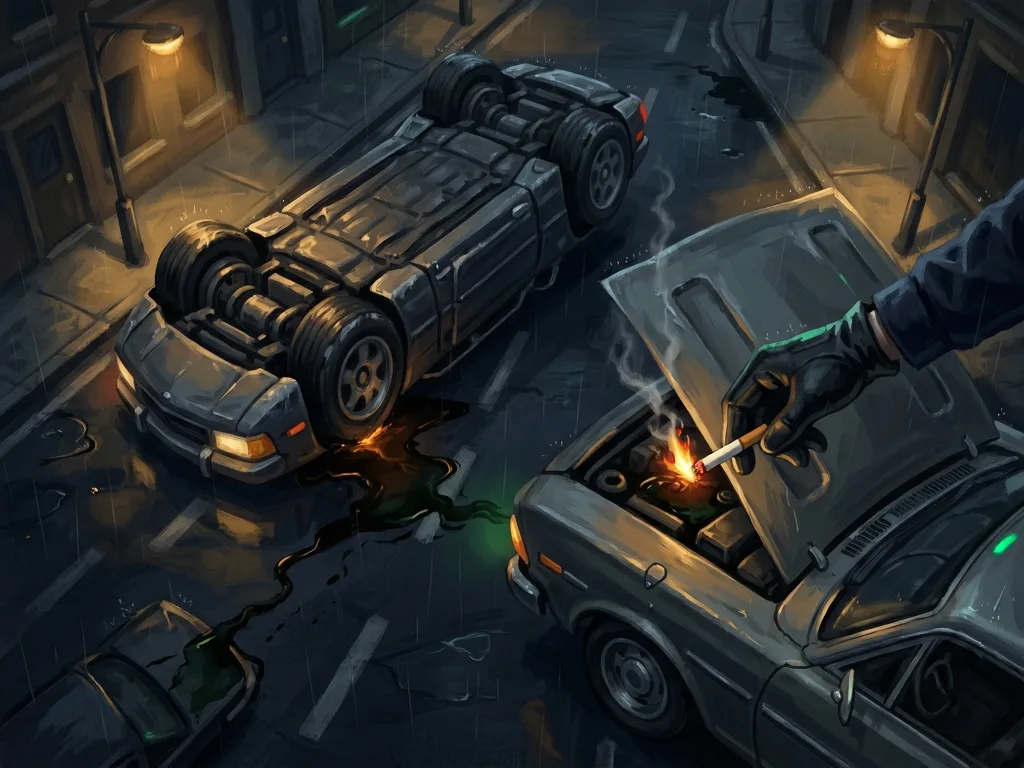
- Flip an Overturned Vehicle: PS5 uses Walk into the side of the vehicle; Xbox uses Walk into the side of the vehicle.
- Swap Held Object to Other Hand: PS5 uses D-Pad Left; Xbox uses D-Pad Left.
- Flick Lit Cigarette Forward, or Flick Cigarette Forward: PS5 uses Hold R2 while smoking; Xbox uses Hold RT while smoking.
- Throw Cigarette at Someone: PS5 uses Look at them while smoking + R2; Xbox uses Look at them while smoking + RT.
- Ignite Gasoline Trail With Lit Cigarette: PS5 uses Look at gasoline trail + R2; Xbox uses Look at gasoline trail + RT.
- Listen to Radio on Foot: PS5 uses Equip earbuds or headphones through inventory; Xbox uses Equip earbuds or headphones through inventory.
- Store Melee Weapons in Trunk: PS5 uses Open vehicle trunk and store weapon; Xbox uses Open vehicle trunk and store weapon.
- Enter First-Person Inspection View: PS5 uses Hold L2 + Press R3 while unarmed; Xbox uses Hold LT + Press Right Stick while unarmed.
- Zoom In During Inspection: PS5 uses Hold R2; Xbox uses Hold RT.
- Exit First-Person Inspection View: PS5 uses Press R3; Xbox uses Press Right Stick.
For players, the list works as a reference for controls that are not always visible in menus, especially character switching between Jason and Lucia, quick navigation, radio access, first-person weapon aiming and non-menu environmental actions. It also groups vehicle, motorcycle, aircraft and parachute inputs that are spread across different gameplay states, making it easier to track which buttons apply on foot, in a vehicle, in the air or near NPCs in Vice City.
Related Apps
 Mortal Company Mobile Horror apk 0.1.8Jul 18, 2024 / 81.79M
 Camo Sniper game 3.7.4Apr 17, 2024 / 170.03M
 March of Empires War Games apk 8.4.0cJul 02, 2024 / 491.16M
 NightTalk free download 1.1.0Jun 05, 2024 / 145 MB
 Colorwood Sort Puzzle Game 2.2.14195May 12, 2024 / 111.85M
 Aha World: School Day apk 3.8.0Jul 22, 2024 / 1016.02M
Recommend Apps