
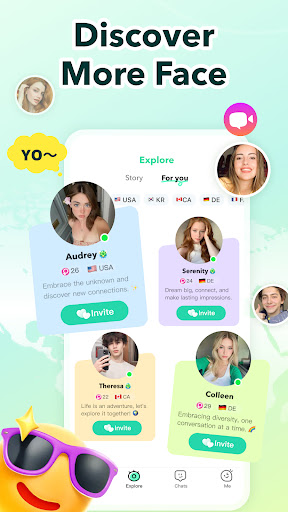


KKLive is a world-leading mobile live broadcast service platform. The platform supports users to share short videos on their mobile phones and allows users to broadcast live. KKLive provides users with a high-quality live broadcast experience with its powerful technical support and rich functions.

How to use KKLive?
The steps to use KKLive to broadcast or watch live broadcasts are as follows:
Download and install: First, users need to search for KKLive in the mobile app store and download and install it.
Register and log in: After the installation is complete, users need to register a KKLive account and log in.
Start live broadcast: If users want to broadcast live, they can select the "Start live broadcast" option in KKLive and follow the prompts to set the camera and microphone permissions. Before the live broadcast, users can also choose the clarity of the live broadcast, add filters, etc.
Watch live broadcast: Users can browse different live broadcast channels in KKLive and choose the live broadcast content they are interested in to watch. While watching the live broadcast, users can also interact with the anchor, such as sending barrages, likes, etc.
Share and follow: Users can share their favorite live broadcast content on social media, or follow their favorite anchors to receive notifications when the anchor starts broadcasting.
Is KKLive free?
The KKLive software itself is free, and users can download, install and use it for free. However, in KKLive, some advanced features or privileges may require users to pay or subscribe. For example, some anchors may provide paid live content, or users can support their favorite anchors by purchasing virtual gifts.
Core functions of KKLive:
Live function: supports users to broadcast high-quality live on their mobile phones, and users can choose the clarity of the live broadcast and add filters by themselves.
Short video sharing: allows users to share short video content on KKLive and share their life with more people.
Interactive function: viewers can interact with anchors by sending barrages, likes, etc., to increase the fun of live broadcasts.
Social function: users can follow their favorite anchors or friends, or share live content on social media to share happiness with friends.
Paid privileges: provide paid live content or virtual gifts and other paid privileges, so that users can enjoy more services.