
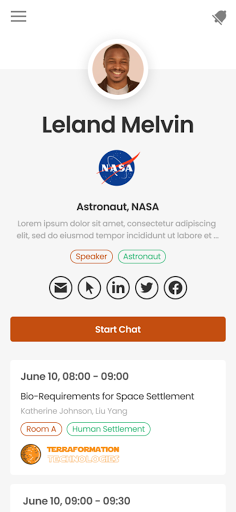
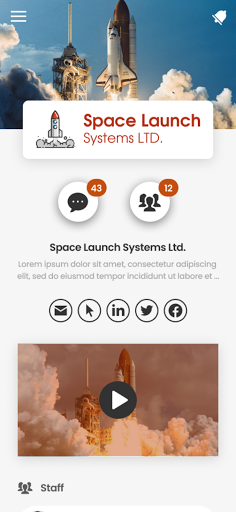
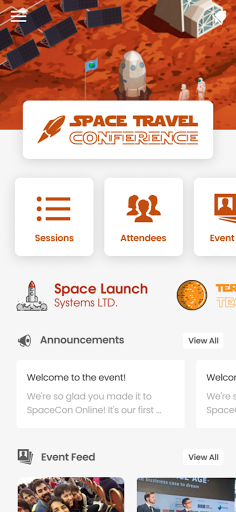

PheedLoop Go is a mobile app designed for iPad developed by PheedLoop Inc., which aims to provide attendees, exhibitors, speakers and sponsors participating in PheedLoop-supported events with a full range of mobile event companion experiences. The app integrates rich network functions, interactive tools, gamification elements and information display, so that users can have a great experience before, during and after the event.

How to use PheedLoop Go?
Download and install: Search for "PheedLoop Go" in the App Store, find and download and install it on your iPad.
Open the app: Launch the PheedLoop Go app and follow the app's guidance to perform initial settings.
Log in or register: If you have already registered an account with PheedLoop, you can log in directly; if not, you may need to register an account first.
Browse event information: After logging in, users can see a list of upcoming or already attended events. Click on a specific event to view detailed information about the event, including schedule, speakers, exhibitors, etc.
Participation and interaction: During the event, users can participate in various interactions through PheedLoop Go, such as voting, Q&A, comments, etc., and communicate with other participants in real time.
Access to the network and resources: PheedLoop Go also provides a wealth of network resources, and users can access and download relevant materials, documents and presentations at any time.
Is PheedLoop Go free?
Yes, PheedLoop Go is free. Users can download and install this app for free in the App Store, and use the basic functions it provides without paying any fees. However, please note that if additional paid services or advanced features are provided in the app, users may need to choose whether to purchase them according to their needs.
PheedLoop Go core functions:
Event information management: Provide detailed information of the event, including schedule, speakers, exhibitors, etc., so that users can check and understand the progress of the event at any time.
Real-time interaction and communication: Support real-time interaction between users, including voting, Q&A, comments, etc., to enhance the participation and interactivity of the event.
Network and resource access: Provide a wealth of network resources, such as materials, documents and presentations, which users can access and download at any time for subsequent reference and learning.
Personalization: Users can customize the app according to their needs, such as setting reminders, following specific speakers or exhibitors, etc.
Gamification elements: Incorporate gamification elements, such as points, leaderboards, etc., to increase the fun and attractiveness of the event.