Township FAQ: storage, updates, and fixes for casual farmers
Nov 19, 2026
Township FAQ: storage, updates, and fixes for casual farmers
Looking for straight answers about Township? This FAQ covers what the casual game does, who it fits, how much space it needs, how updates work, and what to try when saves, loading, or performance feel off.
Quick fact: on this site, Township is listed as a mobile game in the casual games category, with package size 141 MB and a site version of 17.1.0 released on 2024-03-21.
What is Township?
Township is a fun simulation business game. The design leans into farming and business routines: you can plant various fruits and vegetables, sell products, and keep your layout moving. The short site description highlights a simulation page that helps players get into the game quickly, plus free gameplay.
- Core loop: plant, produce, sell, and grow your town.
- Best for: relaxed, long-session building.
- Not: a fast reflex shooter or story-heavy RPG.
Who should play Township?
Township suits players who like casual management with gentle goals. If you enjoy arranging farms, crops, and town plans at your own pace, it is a natural fit. It can also work for short check-ins, though longer sessions are often more satisfying because production and planning take time to settle.
Takeaway: Township is for casual builders, not players who want instant, action-packed matches.
How much storage does Township need?
The site lists a 141 MB package size. That is only the starting download size, not the total space you should leave free. Updates, cache, saved progress, and Android system files can add extra usage, so keep more headroom than the package size.
- Have at least a few hundred MB free if possible.
- Close background apps before updating.
- If installation fails, check available storage first.
Exact space varies by device, Android version, and installed updates.
What device requirements should I expect?
Township is a mobile game, so it targets phones and tablets. A recent Android phone with enough free storage, a stable screen, and basic app performance should handle the casual gameplay. Older devices may load slower or struggle after long sessions, especially if storage is nearly full.
- Best experience: modern phone or tablet with free storage.
- Common warning signs: lag, slow load, or touch delay.
- Support question: ask the developer for exact compatibility.
How do updates work?
The version shown on this site is 17.1.0, released 2024-03-21. Later versions may exist depending on where you play and when you check. Updates can fix bugs, improve performance, or change content, so the exact list depends on the version you install.
Smart move: update before troubleshooting, but note the version first.
How should I handle account and save data?
For any mobile game, treat your account and save data as fragile. If Township offers a sign-in or cloud sync option, use it before changing devices. If you rely only on local progress, do not clear app data unless you know what will be lost. Device changes, reinstalling, or cache cleanup can affect saves if the account link is not active.
- Check whether your progress is linked to an account.
- Do not clear data casually; it may remove local progress.
- Verify the game loads your expected town before deleting anything.
Rule: account first, reinstall second.
What fixes common Township problems?
Most complaints fall into three buckets: update trouble, missing saves, and lag. Start simple.
- Update failed: confirm free storage, restart the device, then try again.
- Save looks wrong: check sign-in status, reload the game, and avoid clearing data.
- Lag or long loading: close other apps, free storage, and update if a newer version is available.
If problems keep returning after those steps, they may be tied to your device model, Android version, or a temporary service issue. In that case, contact the official support channel with your version and a short description of the problem.
Can I play Township offline?
Do not assume offline play is guaranteed. Connectivity needs can vary by version, device, and network setup. If loading feels flaky, try a stable network before blaming the game.
Pro-Tips
- Update note: record the version before making changes.
- Storage habit: keep free space before big downloads.
- Save habit: use account sync if the game offers it.
- Support habit: report bugs with device, version, and steps.
Related Apps
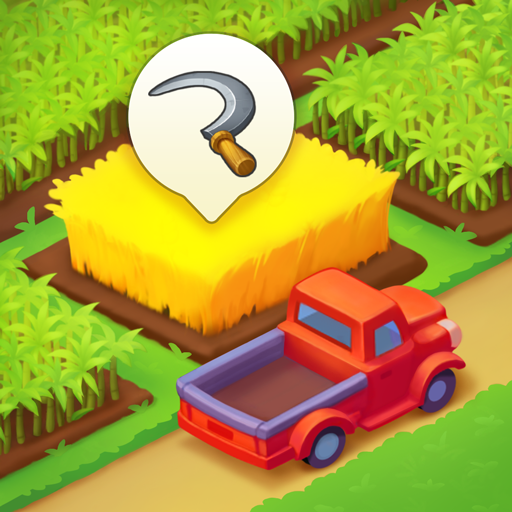 Township download 17.1.0Mar 21, 2024 / 140.52M
 Roblox 2.609.387May 13, 2024 / 168.93
 Colorwood Sort Puzzle Game 2.2.14195 Android versionMay 12, 2024 / 111.85M
 Ball Up: Knife Racing mod apk 2.3.2 Android versionJul 23, 2024 / 158.89M
 Bad 2 Bad: Apocalypse MOD APK 3.1.1 Mod VersionJul 23, 2024 / 219MB
 AU3-Dance Star APK 0.01.1238 Android VerisonJul 23, 2024 / 196MB
Recommend Apps