
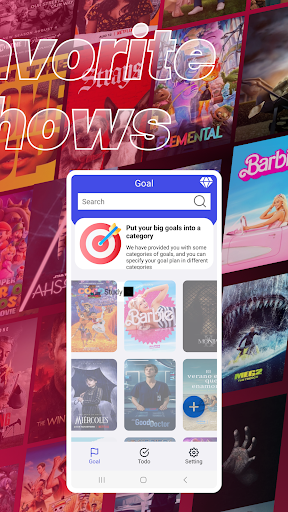
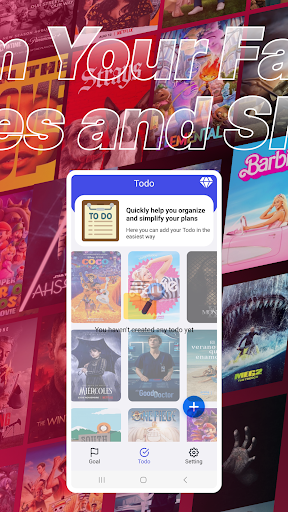
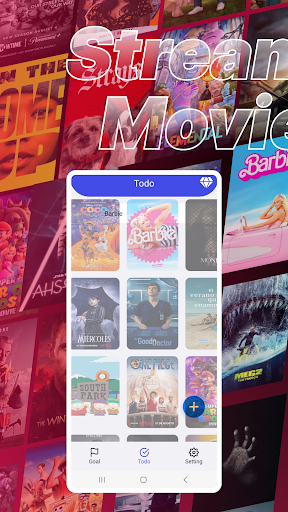
Zelivonic is a practical to-do list software designed to help users develop good personal habits to cope with the complex daily life and work. The software supports multiple operating systems and platforms, including mobile devices, computers and browsers. By providing rich customization options such as custom labels, priority and reminder settings, users can easily create, modify and track to-do items.
How to use Zelivonic?
Download and install the Zelivonic software.
After opening the software, users can add to-do items as needed. This can be done by clicking "Add To-Do" or similar buttons.
For each to-do item, users can set reminder time, priority, custom labels, etc. These settings help users better organize and manage to-do items.
Users can view a list of all to-do items on the main interface of the software and modify or delete them as needed.
When the reminder time of a to-do item arrives, the software will automatically pop up a reminder notification so that users can deal with the item in time.
Is Zelivonic free?
Yes, Zelivonic is a free software and users can use all its features for free.
Zelivonic core features:
To-do management: Users can create, modify and track to-do lists to deal with important tasks in time.
Reminder function: Users can set reminder times to ensure that they don't miss any important to-do items.
Customization options: The software supports a wealth of customization options, such as custom tags, priorities, etc. to meet the personalized needs of users.
Multi-platform support: Zelivonic supports multiple operating systems and platforms, including mobile devices, computers, and browsers, making it convenient for users to use it on different devices.
Team collaboration: Team members can easily collaborate, share, and assign tasks to make workflows more efficient.
Calendar view and statistics function: Help users track progress and understand their time planning.
Notes and text editor: Users can record processes and ideas and link to related tasks and events.