

Speedtest is not only suitable for individual users to monitor the quality of the network in their home or office, but also very suitable for professionals to evaluate the performance of network infrastructure. With Speedtest, users can easily check the speed of their network connection in order to determine whether any measures need to be taken to improve the quality of the connection, such as changing network providers, adjusting router settings, or restarting network devices.

How to use Speedtest?
Download and install: First, users need to download and install the Speedtest application on their devices. Speedtest supports multiple platforms, and users can choose the appropriate version to download according to their device type.
Open the application: After the installation is complete, open the Speedtest application. When it is opened for the first time, the software may automatically find the best server for testing, or users can manually select the server as needed.
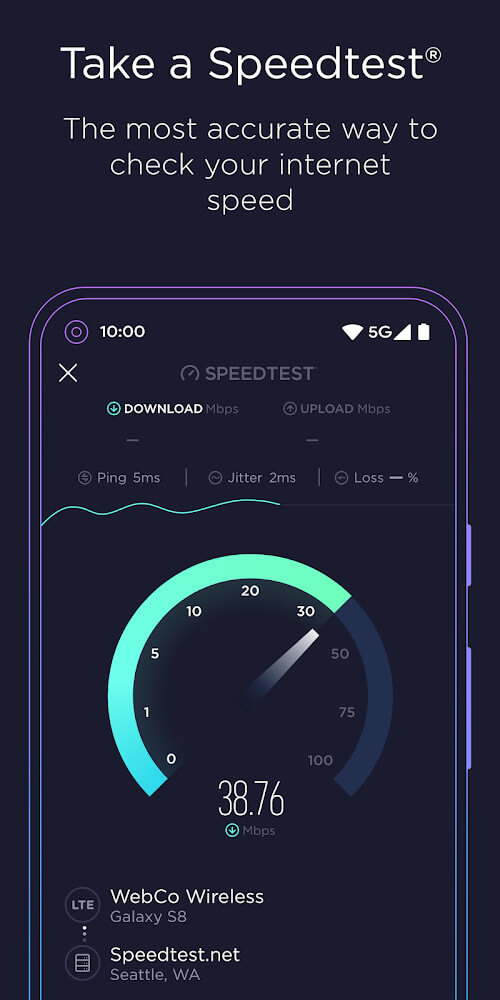
Start the test: Click the "Start Test" button, and Speedtest will first test the Ping value of the network, that is, the delay time. Subsequently, it will test the upload and download speeds of the network. The test process is usually very fast, and users only need to wait a few seconds to see the results.
View the results: After the test is completed, Speedtest will display the current Ping value, upload speed, and download speed. Users can also click the result option to view a detailed record of each speed test, including the test time, etc.
Export and share: Speedtest also provides the function of exporting and sharing test results. Users can export test results as files or send them to others for sharing.
Is Speedtest free?
Speedtest is completely free, and users can enjoy its powerful functions without paying any fees. This makes Speedtest a very popular network speed test tool, widely used in various scenarios and fields.
Speedtest core functions:
Network speed test: It can accurately test the download speed, upload speed and latency (Ping value) of network connection, helping users understand the current network performance.
Global server network: It has a huge global server network and can provide users with test results that are closest to actual usage.
Multi-platform support: It supports multiple platforms, including Android, iOS, Windows, macOS, and Apple TV, etc., to meet the needs of different users.
History viewing: It provides a history viewing function, and users can easily view the detailed records of each speed test, including test time, etc.
Result export and sharing: It supports exporting test results as files or sending them to others for sharing, which is convenient for users to conduct further analysis and discussion