
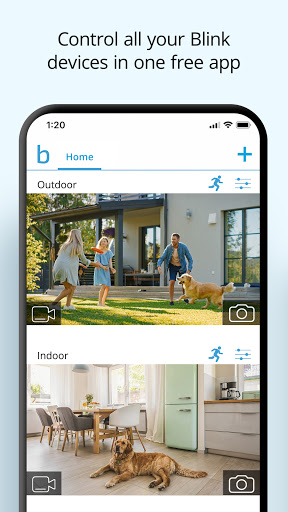
Blink Home Monitor is a monitoring app designed for smart home security, developed by Immedia Semiconductor and supported by Amazon. This app enables users to monitor their home directly from their smartphones, whether indoors or outdoors, day or night. Blink Home Monitor supports multi-system operation, and users can easily control multiple Blink cameras in a single app to achieve full home security monitoring.
How to use Blink Home Monitor?
Download and install: First, download and install the Blink Home Monitor app on your smartphone. The app can be found in the App Store (iOS devices) or the Google Play Store (Android devices).
Device connection: Follow the instructions in the app to connect the Blink camera to your home Wi-Fi network. This usually involves plugging in the camera, connecting to Wi-Fi, and entering the corresponding network credentials.
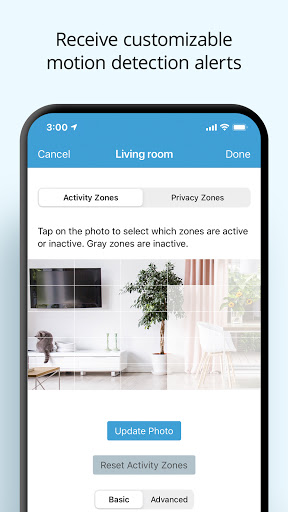
Configure the camera: Configure the camera's settings in the app, such as motion detection zones, night vision mode, audio settings, etc. Users can also customize the camera's notifications and alerts as needed.
Start monitoring: After completing the configuration, users can start monitoring their home with Blink Home Monitor. The app will display the camera's video stream in real time and send notifications to the user's smartphone when motion is detected.
Voice control (optional): If the user has a smart speaker device such as Alexa at home, you can also pair the Blink camera with Alexa to control the camera through voice commands, such as viewing live video, playing recordings, etc.
Is Blink Home Monitor free?
The Blink Home Monitor app itself is free, but it should be noted that some advanced features or cloud storage services may require additional fees. In addition, the Blink camera itself needs to be purchased. However, Blink cameras are known for their affordable prices and long battery life, and are one of the preferred choices for many families to choose smart home security solutions.
Blink Home Monitor core features:
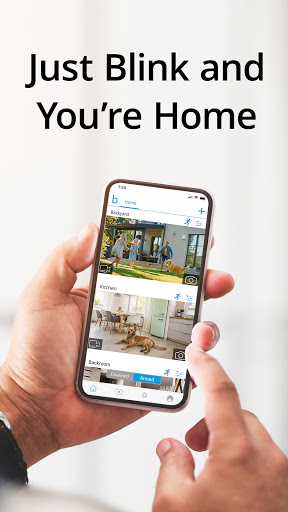
Real-time video monitoring: Users can view the real-time video stream of the camera at home through their smartphones anytime, anywhere.
Motion detection and alerts: The camera has a motion detection function that can send notifications to users immediately when motion is detected. Users can also customize motion detection zones to reduce unnecessary alerts.
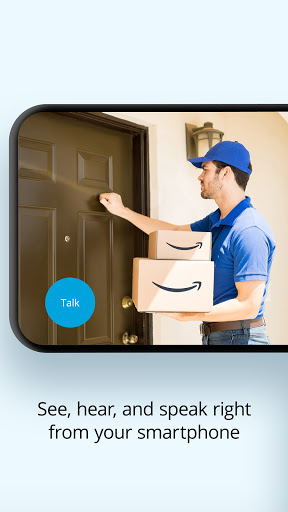
Two-way audio calls: Some Blink cameras support two-way audio calls, and users can have real-time conversations with people at home through their phones.
Night vision function: The camera is equipped with night vision, which can clearly capture videos even in the dark.
Cloud storage vs. local storage: Users can choose to store recordings in the cloud or local storage devices. Cloud storage requires subscription to the corresponding service plan, while local storage can be achieved through devices such as Blink Sync modules.
Multi-system support: Blink Home Monitor supports multi-system operation, and users can easily control multiple Blink cameras in a single application.
Integration with smart devices such as Alexa: Users can pair Blink cameras with smart speaker devices such as Alexa to realize the function of voice control of cameras.